Your Billing Statement, Made Simple
This guide breaks down every section of your statement — clearly and in plain language — so you can quickly find what you're looking for and understand exactly what you're paying for. But you have questions, don't hesitate to call our Member Services Department at 1-800-635-4145 or email us.
Having trouble paying your bill?
Visit our Payment Assistance page to see your options, or call us — we're here to help.
EnerStar Billing Statement - Front Page
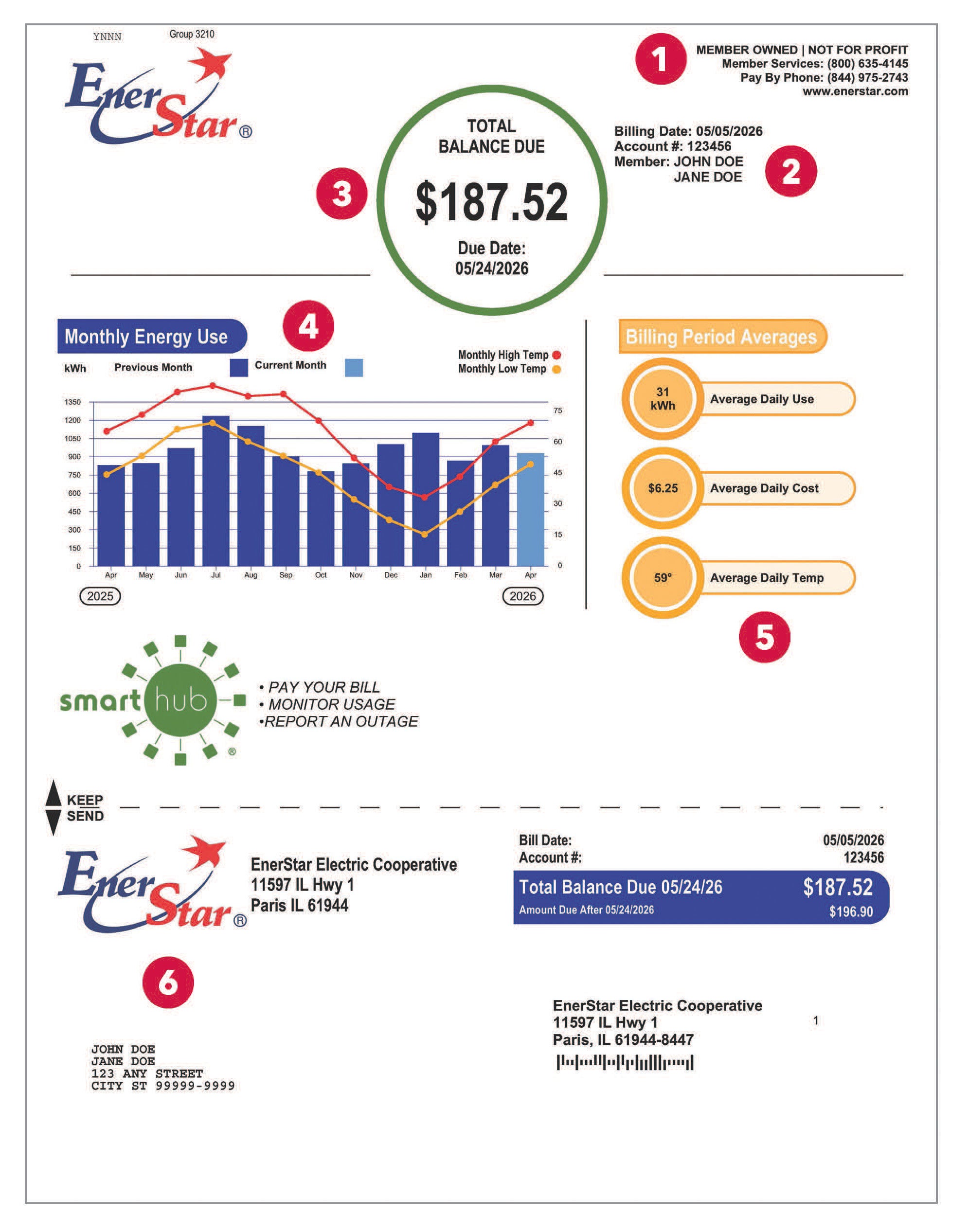
Need to give us a call? This section provides you with EnerStar's contact information.
In this section, you will find iYour billing date, account number, and member name(s) are listed here.
This section summarizes the total amount due and the due date. If you participate, your AutoPay information will be indicated here.
If you are struggling to pay this amount, we encourage you to visit our Payment Assistance page.
Compare your household's electricity usage to average monthly temperatures over the last year. This view helps illustrate how hotter summers and colder winters typically drive higher energy use.
.
The graph provides monthly and yearly totals. This section provides the monthly averages for daily use, cost, and temperature.
- If you mail your payment or drop it off at the office, please include the bottom portion of the billing statement with your payment.
- There are many other payment options available to our members. To learn more, visit our payment options page.
- Many of our members enjoy the benefits of using SmartHub to pay their monthly billing statement. SmartHub lets you view billing and payment history, set up personalized account notifications to your needs, and report power outages. Sign up for paperless billing and receive a $5 bill credit! A QR code is provided to sign up for this free app.
EnerStar Billing Statement - Back Page
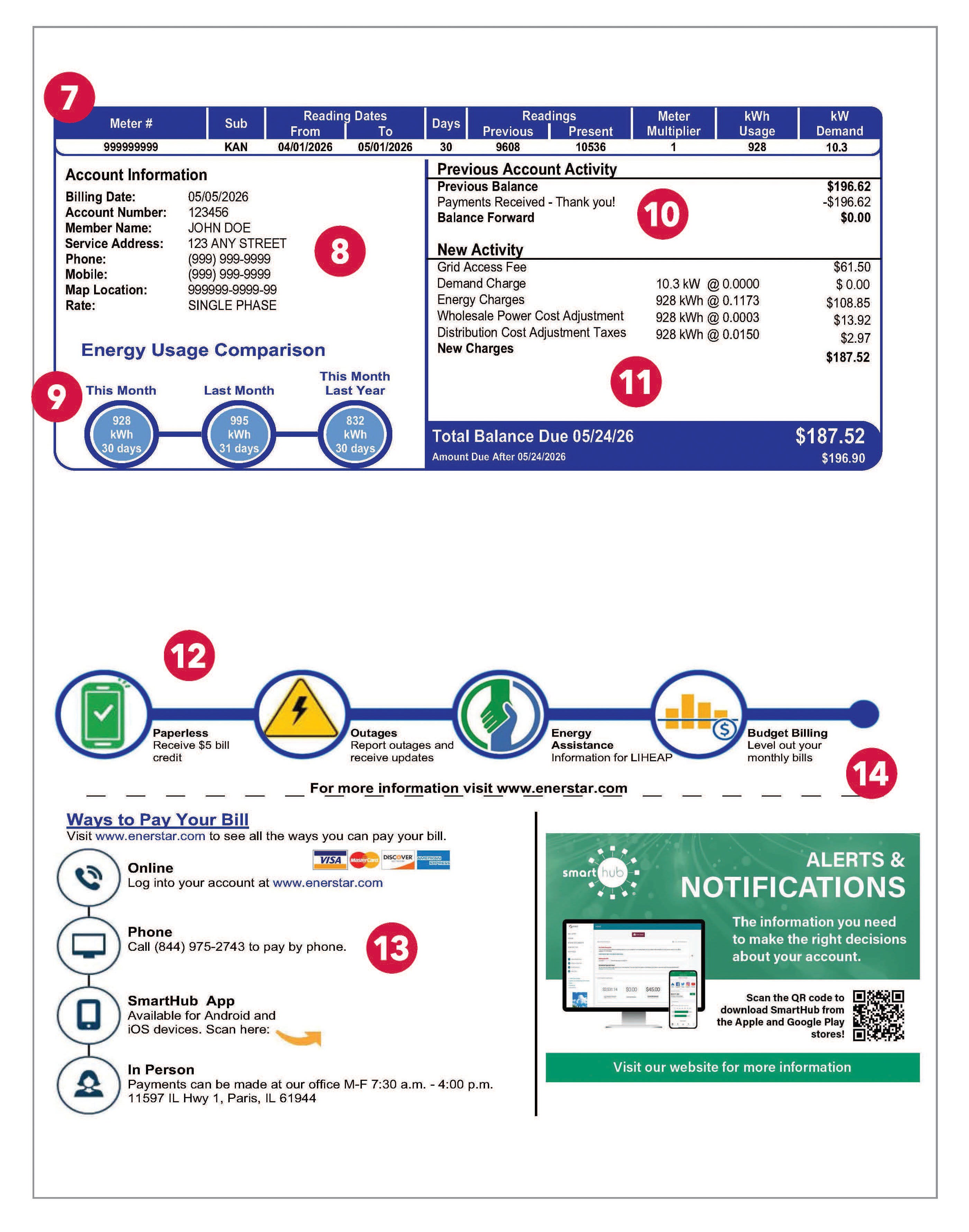
Your meter number(s), meter type, service dates, days in billing cycle, and meter readings are listed here.
This is the contact information the cooperative has on file for you. Need to update your information? You can update it on your SmartHub account or contact Member Services at 800-635-4145 or via email.
This comparison shows current, previous month, and previous month for the prior year energy usage.
In this section, you will find your past payment and any balance forward from the previous month.
This section summarizes energy purchases, service charges, applicable taxes, and any new charges.
We understand that sometimes life happens, and you may find paying your electric bill difficult. In those cases, it is best to contact us early to inquire about possible payment extensions and payment plans before your account is subject to disconnection.
Some members may qualify for energy assistance through LIHEAP. This section provides telephone numbers to your local Community Action Agency office.
This area provides website links for the paper billing statement.
EnerStar offers several payment options for paying your electric bill. A QR code is also included to download the SmartHub app.
In this section, you will find important updates regarding our cooperative, including news about the annual meeting and information about available programs and services.